
AGSL: A Quick Introduction to Android Graphics Shading Language
Introduction
Modern mobile UIs increasingly rely on rich visual effects: gradients, blurs, distortions, ripple animations, and real-time visual feedback. On Android, AGSL (Android Graphics Shading Language) enables developers to create these effects efficiently by running custom GPU shaders directly within the Android rendering pipeline.
This article provides a quick, practical introduction to AGSL, explains where and how it is used, and compares it with similar technologies on iOS and other platforms, helping Android developers understand when AGSL is the right tool.
What is AGSL?
AGSL (Android Graphics Shading Language) is Android’s domain-specific shading language used to write fragment shaders that run on the GPU.
Key points:
- Based on SkSL (Skia Shading Language)
- Designed to be safe, portable, and optimized for Android
- Integrated with Skia, Android’s 2D graphics engine
- Primarily used for pixel-level visual effects
AGSL shaders operate on pixels, not geometry. This makes them ideal for:
- Color transformations
- Distortions
- Gradients
- Blur and glow effects
- Procedural textures
Why AGSL Exists
Historically, Android developers relied on:
- XML drawables
- Canvas drawing
- RenderScript (now deprecated)
- OpenGL ES (powerful but complex)
AGSL fills an important gap:
- ✅ Easier than OpenGL / Vulkan
- ✅ More powerful than XML or Canvas
- ✅ GPU-accelerated
- ✅ First-class support in modern Android APIs
It is especially relevant in the Jetpack Compose era, where expressive UI and animations are core expectations.
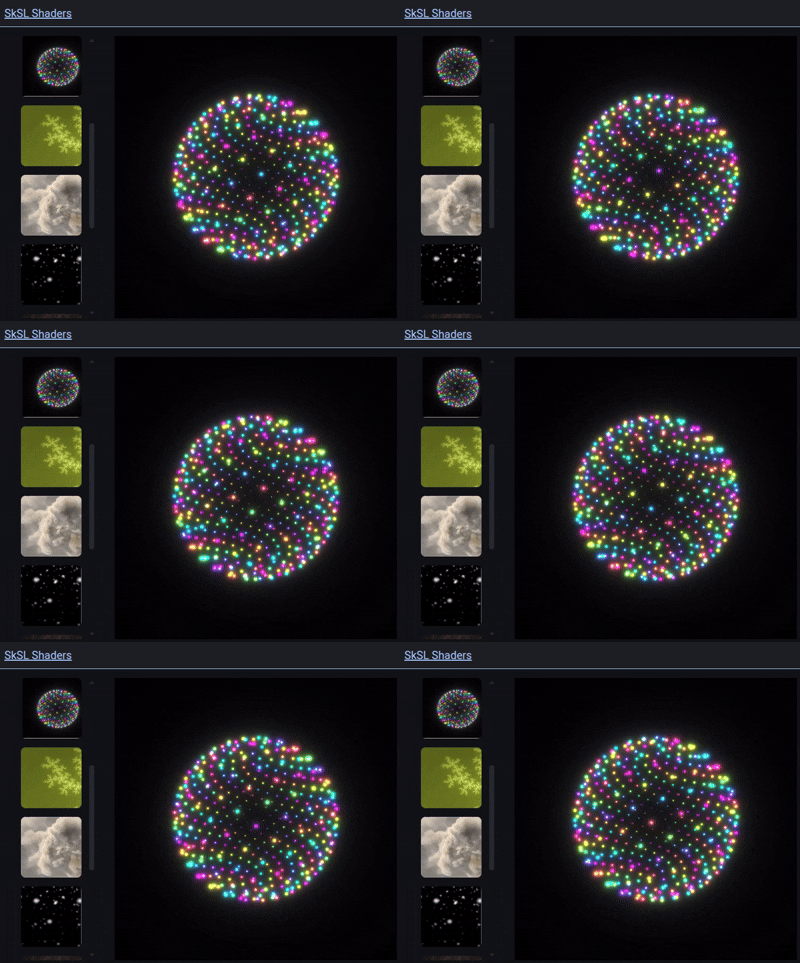
Shaders example from https://shaders.skia.org/
A Simple AGSL Example
Here’s a minimal AGSL fragment shader that creates a time-based color animation:
uniform float2 resolution;
uniform float time;

half4 main(float2 fragCoord) {
    float2 uv = fragCoord / resolution;
    float color = 0.5 + 0.5 * sin(time + uv.x * 10.0);
    return half4(color, uv.y, 1.0, 1.0);
}
This shader
- Uses uniforms (resolution, time)
- Computes colors per pixel
- Runs entirely on the GPU
- Using AGSL in Android
AGSL with Jetpack Compose
AGSL is most commonly used today via RuntimeShader in Jetpack Compose:
val shader = RuntimeShader(agslCode)

ShaderBrush(shader)
You can then:
- Pass uniforms (time, size, colors)
- Animate shaders using Compose animations
- Apply shaders to backgrounds, images, or custom layouts
This integration makes AGSL extremely powerful for modern UI effects.
Performance Characteristics
AGSL shaders:
- Run on the GPU
- Are compiled and optimized by Skia
- Avoid CPU-bound rendering
However, AGSL offers excellent performance-to-complexity balance:
- Complex shaders can still impact frame time
- Overuse can increase GPU load
- Always test on low-end devices
Comparison with Other Platforms
On iOS, the closest equivalent is Metal Shading Language (MSL). AGSL is UI-centric and constrained, while Metal is a general-purpose GPU API. Flutter also supports custom shaders via SkSL-compatible fragment programs.
| Aspect | AGSL (Android) | Metal (iOS) |
|---|---|---|
| Level | High-level, 2D-focused | Low-level, full GPU |
| Complexity | Low–Medium | High |
| API Integration | Skia / Compose | Metal framework |
| Use Case | UI effects, 2D shaders | UI, 3D, compute |
| Learning Curve | Gentle | Steep |
When Should You Use AGSL?
Use AGSL when you need:
✨ Custom visual effects
🎨 Dynamic gradients or distortions
🌊 Shader-based animations
⚡ GPU-accelerated UI rendering
Avoid AGSL when:
- A standard Compose modifier already exists
- The effect is static and simple
- Maintainability is more important than visual fidelity
Limitations of AGSL
- Fragment shaders only (no vertex shaders)
- Limited API surface (by design)
- Debugging can be harder than CPU code
- Not suitable for complex 3D rendering
AGSL is not a replacement for OpenGL, Vulkan, or Metal.